
How it works
From idea to magazine.
How people turn ideas, files, and collections into a magazine on Covver.
1 — Start
Four options to choose from.
Pick the best option to tell your story.
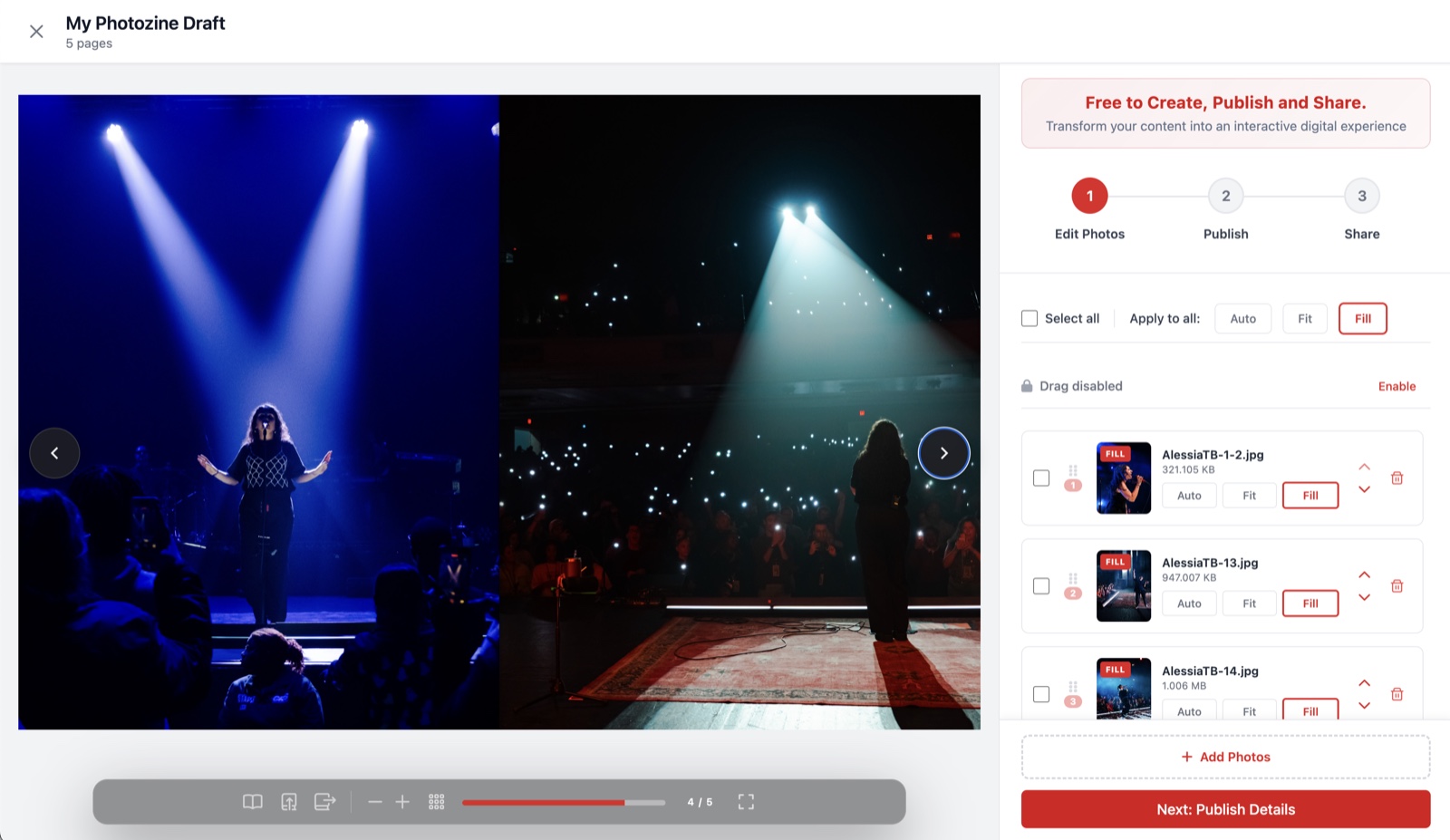
Upload your photos.
Covver auto generates a magazine from the photos you upload which can be edited and shared. No design skills necessary – just your photos.
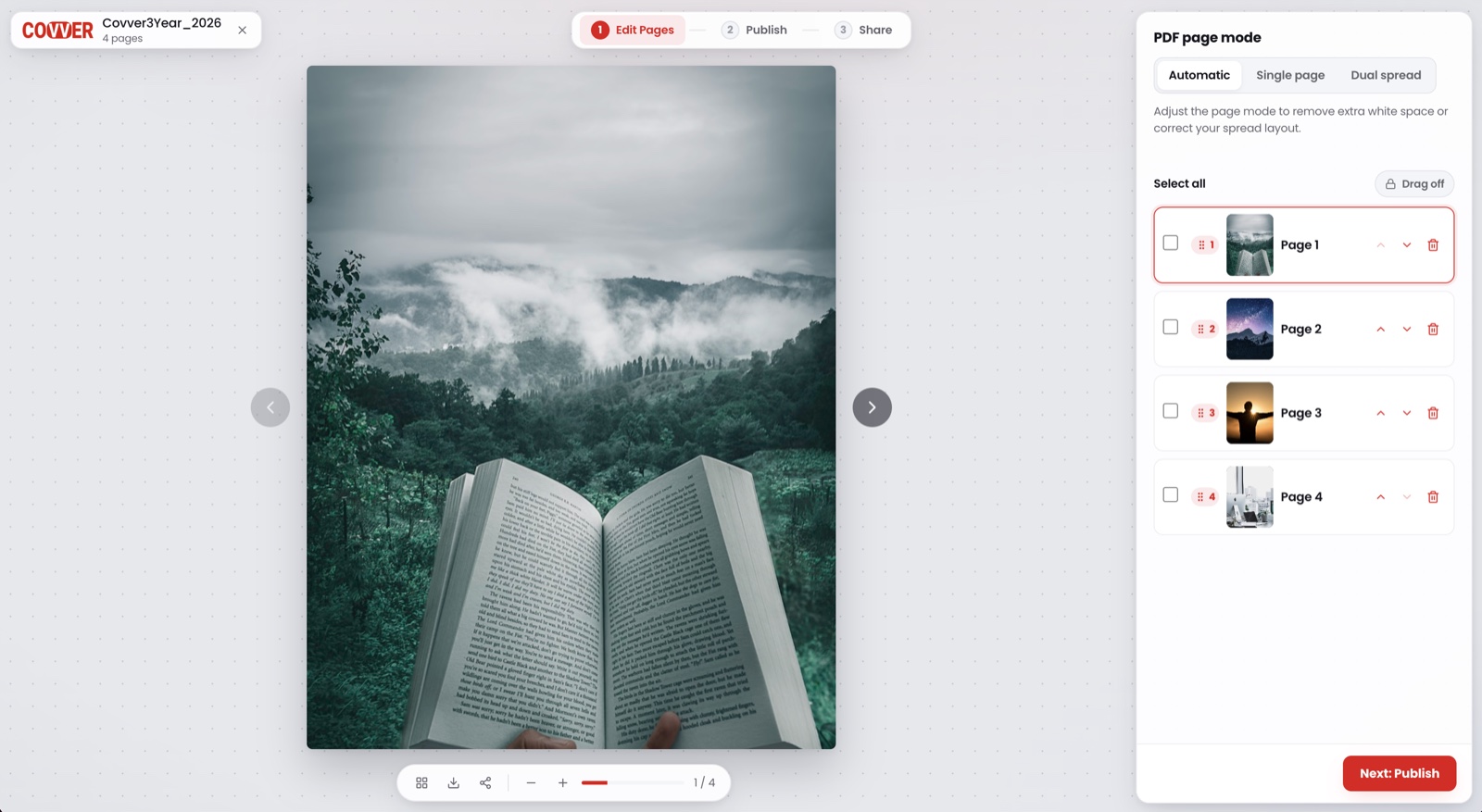
Upload your PDF.
Transform your flat PDF into Covver magazine and drive engagement – readable on any device.
From a template
Pick a Covver design from dozens of styles, add your text, images, and rich media from the builder to personalise – publish and share.
From scratch
A blank canvass to tell your story. Use the Covver builder to drag, drop, type, and layer your content – total control.
2 — Build
The builder. Everything in one place.
The tools to create your magazine are found in the Covver builder – all accessible from the same page whether its fonts, photos, videos, audio, links, interactive elements – your one-stop shop.
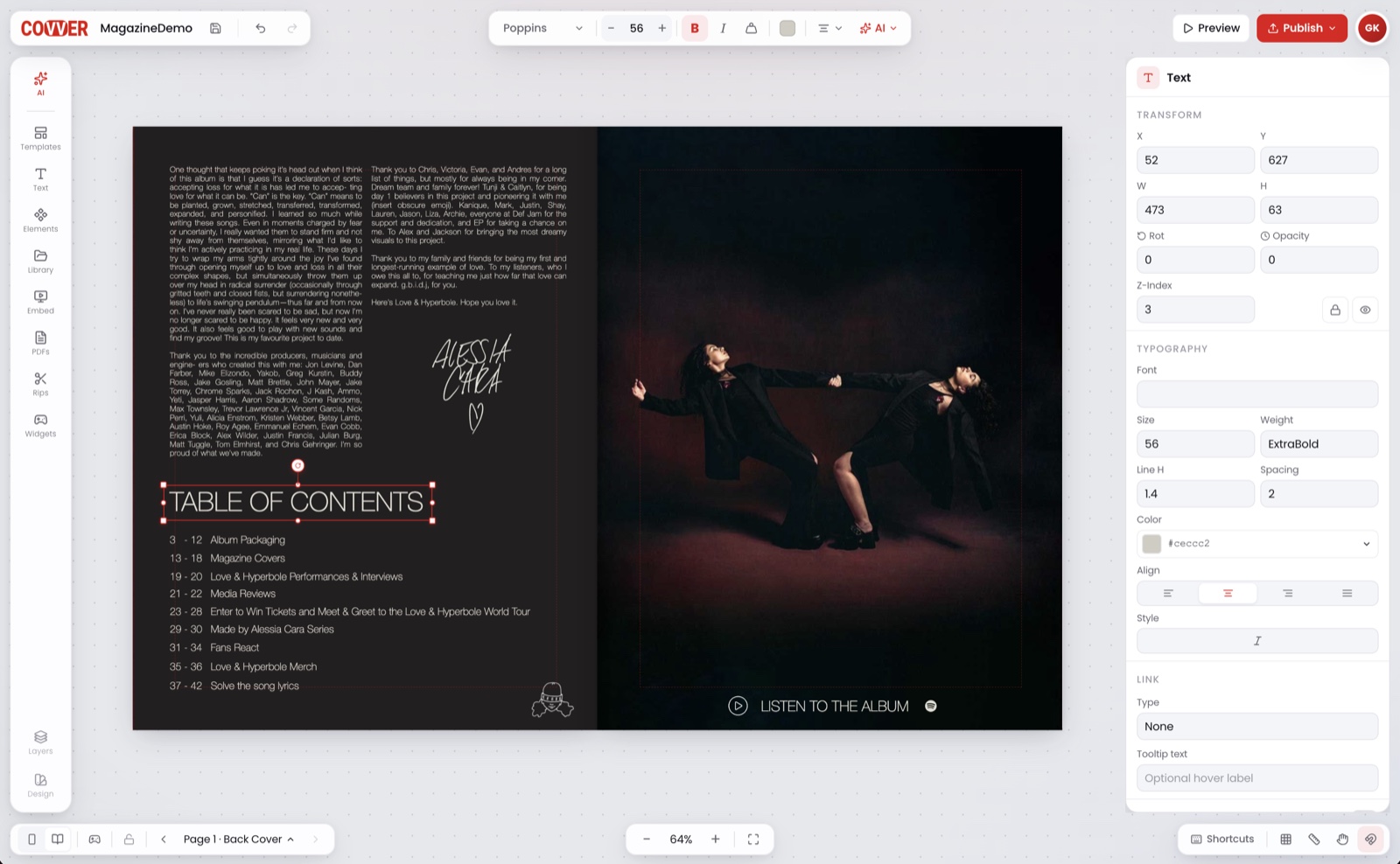
Templates
Build your own or use Covver’s pre-built.
Text
Simply type and style using a range of available fonts.
Library
Access your photos, videos and audio.
Interactive
embed music, YouTube and social media videos, forms and links.
Rips
Save pages from any magazine on Covver. Add them to yours, with credit to the creator.
PDFs
Import a PDF as pages, then edit on top.
AI Content
Generate copy or imagery when you're stuck.
3 — Read modes
Give it a try.
Explore this Covver magazine, click the icons in the toolbar to switch reading modes, zoom, share and more.
4 — Publish
Choose who can see it.
Public
On the stand. Discoverable by anyone.
Unlisted
Only people with the link can open it.
Private
Only people you invite.
Update the magazine anytime — the link stays the same.
Locks
Control what readers do to unlock.
Lock pages or a whole magazine if you want. Decide what readers do to get access.